In this guide
- The setting is more than the address
- Hospital work: ask about the unit and the handoff
- Ambulatory work: look beyond the appointment grid
- Community and home work: make movement visible
- Systemwide functions have their own geography
- Build a setting comparison without ranking the settings
- A hypothetical comparison shows where to ask next
- End with a testable next step
- Sources and scope
Hospital, outpatient, home and systemwide work create different practical questions. Compare the shape of the day before choosing a setting.
The setting is more than the address
A health system can be one employer brand and many very different working environments. The useful question is not simply whether you want to work in healthcare. It is where your particular contribution happens, who depends on it, and what shape that gives the day. A scheduler in an outpatient office, a laboratory professional supporting a hospital, and a home-care therapist may share an organizational name without sharing a schedule, a route to work, or the same handoff pattern.
MedStar Health publicly describes ten hospitals and more than 300 other care locations across Maryland, Virginia and Washington, D.C. That broad footprint is a starting map, not a list of equivalent workplaces. Our comparison method uses five practical lenses: arrival, work rhythm, coordination, movement and completion. Apply them to the exact vacancy. Do not let a familiar hospital name answer questions that belong to a department, position or hiring conversation.
Hospital work: ask about the unit and the handoff
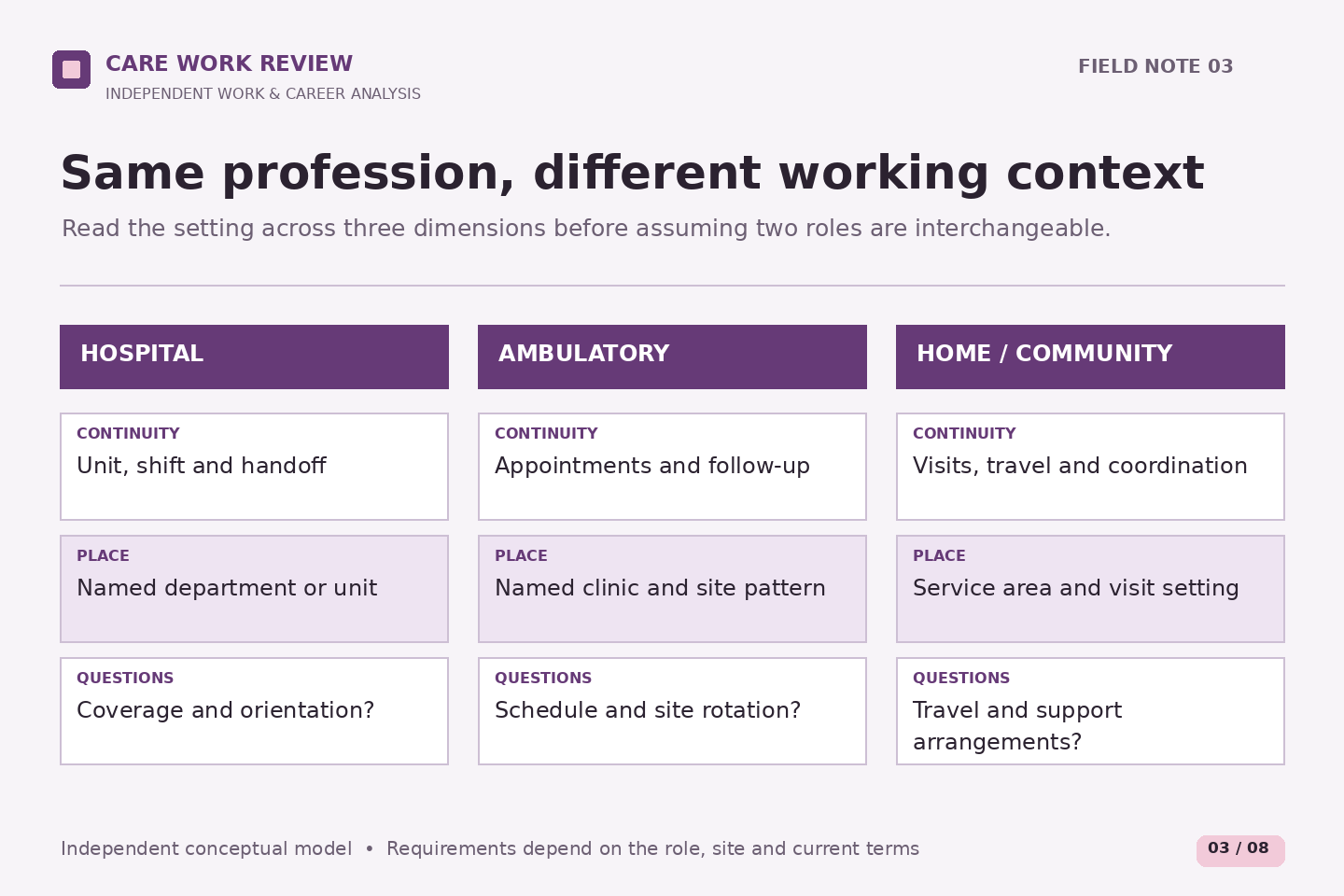
The hospital label tells you less than it first appears. MedStar's hospital directory describes different service profiles, including acute-care teaching, community and rehabilitation settings. Within one building, a supply role, an inpatient nursing role, an appointment desk and an engineering team can operate on different clocks. Begin by identifying the unit or department, its service hours, and the job's actual coverage obligation.
Then ask what enters the role and what leaves it. Does work arrive through an assigned list, scheduled procedures, calls, physical deliveries or requests from other teams? What must be handed over at the end of a shift? These are interview questions, not claims about a particular MedStar workflow. A clear handoff description helps you understand how interruptions and unfinished tasks are managed.
Include the building in your practical comparison. A named hospital address does not reveal the staff entrance, work area, parking arrangement or time needed to reach it. Verify those details if the process advances. Assess the whole arrival, rather than treating arrival at the campus boundary as arrival at the workstation.
Ambulatory work: look beyond the appointment grid
Outpatient and ambulatory are useful setting labels, but neither automatically means a standard weekday office job. The service's published opening hours and an employee's scheduled hours answer different questions. Preparation, closing activities, telephone work and coverage arrangements may fall outside patient appointment times. Ask how the role's day is organized instead of inferring it from the earliest bookable appointment.
For an administrative candidate, an original way to compare offices is to sketch the appointment journey: request, preparation, arrival, follow-up. Put a question mark where the posting does not say what the role owns. A job may emphasize one stage or several; responsibility must come from the description and subsequent clarification, not from this sketch.
For a clinical candidate, distinguish the professional task from the delivery setting. MedStar's physical-therapy page separately describes inpatient, outpatient and home rehabilitation. That illustrates why a professional title alone is insufficient. Ask about the population, location, supervision, documentation expectations and coordination relevant to the vacancy, without assuming that experience in one setting transfers unchanged into another.
Community and home work: make movement visible
Community-based work is a wide description. It can refer to a fixed neighborhood location, outreach, or work in people's homes. MedStar's public home-care page describes a regional service involving nursing, therapy, social work and home health aides. It establishes that these settings exist; it does not define any applicant's territory, visit pattern or employment terms.
For a mobile role, draw a day with separate blocks for travel, the assigned activity, communication and administrative work. Leave the durations blank until they are confirmed. Ask where the day begins and ends, how locations are assigned, what travel expectations apply, and what support is available when plans change. A mileage reimbursement answer, if applicable, is different from an answer about time, equipment or coverage.
Consider the difference between independence and isolation. Working away from a central location can change how a person reaches colleagues, obtains materials or asks for help. The useful question is not “Will I be on my own?” but “Which decisions belong to this role, and how do I reach the appropriate support when I need it?”
Systemwide functions have their own geography
Some health-system work supports many services rather than one patient-care location. MedStar's systemwide careers page names centralized functions and describes associates working across several locations, with some remote arrangements. This does not make every administrative or technology vacancy remote. The exact posting remains the place to check work arrangement and reporting location.
For these roles, add a different set of questions. Who is the internal customer? Is the work tied to a daily service queue, a monthly cycle, a project or an operational incident? Does the role support one entity or several? What attendance, travel or coverage expectations apply? A position based away from a hospital may still have dependencies on hospital operations.
If a description says hybrid or remote, separate work location from working time. Ask which expectations are fixed, which are subject to team arrangements and whether onboarding differs. Do not budget for a particular commute pattern until you have role-specific information.
Build a setting comparison without ranking the settings
Use one page with a column for each real vacancy and five rows. Arrival records the site, travel and start-time questions. Rhythm records the typical cycle and known schedule. Coordination names the teams or functions mentioned. Movement captures travel or movement between sites. Completion describes the visible outputs of the role. For every entry, label it published, clarified or unknown.
Now add your own constraints below the facts. “I can reach this site by the stated start time” is a different entry from “the posting lists day shift.” The first is your practical assessment; the second is employer-provided information. Keeping them separate prevents a preference from becoming a claimed job condition.
Do not award a numerical score to an unanswered question. A high total can conceal the one unresolved condition that makes a role unworkable. Mark the dependency clearly and ask about it before using the comparison to make a consequential choice.
A hypothetical comparison shows where to ask next
Imagine someone comparing two otherwise plausible support roles. Role A is described as based at a hospital and gives precise shift hours. Role B is described as community-based and names several possible locations without a travel pattern. The applicant initially prefers B because one listed address is closer to home. The comparison reveals the weakness in that conclusion: the nearby address may not be the only work location.
Their next question for B is therefore about the assignment area and reporting arrangement. Their next question for A is about the department and arrival logistics. Neither role wins from its label. The exercise has produced two different information needs, which is more useful than a premature ranking.
Carry the same discipline into a career conversation. Say which setting feature interests you and what you still need to learn. A preference for continuity, variety or geographic predictability can guide your questions without claiming that every workplace of one type supplies it.
End with a testable next step
Choose one setting assumption to verify before narrowing the search. It might be whether a role is tied to one site, whether the stated hours include weekends, or whether the work is primarily a recurring service or a project. Save the posting identifier and the date beside the question. Recheck the current description when returning to it.
Care Work Review's framework is an independent reading aid. It does not establish staffing, workload, safety arrangements, clinical scope or suitability for an individual. A setting becomes a useful career choice when the actual duties and conditions make sense together, not when its name sounds reassuring.
Related reading: Read the whole pattern behind a shift label, Read a vacancy as a set of separate commitments, Test the whole week before a schedule changes.